
Snoozing is one of the most effective ways to reduce inbox stress. Instead of keeping emails you cannot act on right away, you move them out of view and bring them back at the right time. Simplehuman makes this process even easier by allowing you to snooze messages using plain English phrases that match how you naturally think about time.
The Value of Snoozing Emails
Most inbox clutter comes from messages that need attention later. These emails stay in your inbox because you do not want to forget them. Over time, they pile up and create noise. Snoozing solves this problem by removing the email temporarily and returning it at a moment when you can actually act on it.
This keeps your inbox focused on what needs attention now instead of everything that might matter eventually.
Using the B Key to Snooze
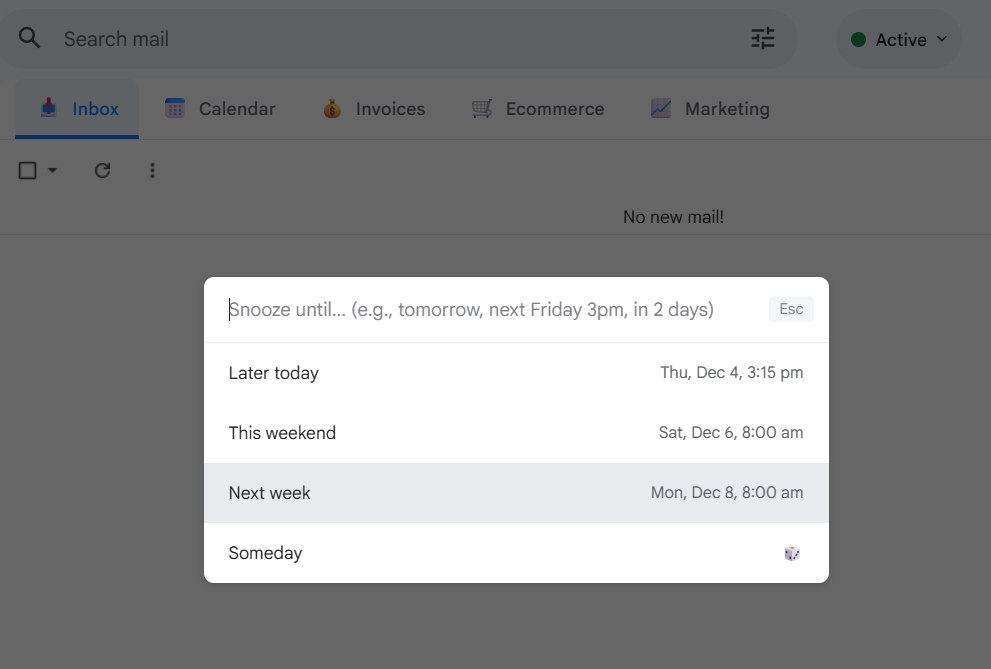
Simplehuman simplifies snoozing with a single shortcut. Press the B key while viewing any email. A small input box appears where you can enter when you want the message to return to your inbox. Once you confirm the time, the email disappears and will reappear exactly when you need it.
This keeps the process fast and consistent, even when you handle dozens of emails.
Understanding Natural Language Input
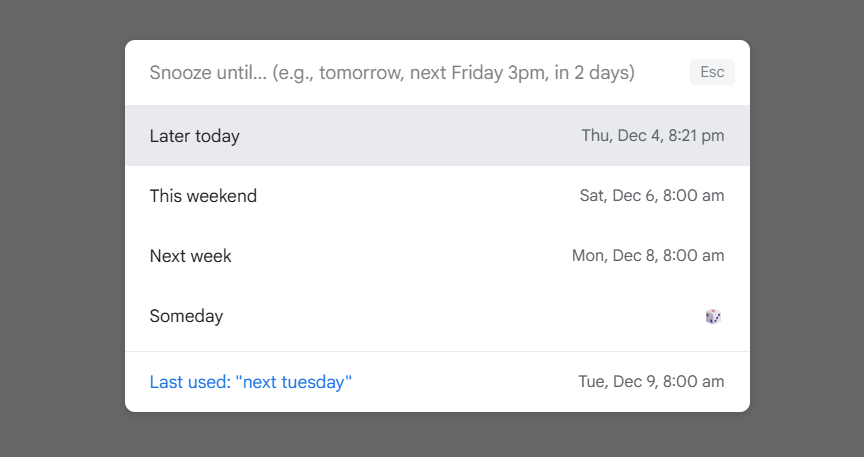
The biggest advantage of Simplehuman is its natural language understanding. Instead of picking dates from a calendar or scrolling through time selectors, you can type instructions like:
- in two months
- next Friday
- tomorrow morning
- next week
- in three days
- Dec 15, 9am PST
Simplehuman interprets these phrases and converts them into precise snooze timestamps. This makes snoozing feel effortless because you use the phrases you already think in.
Timezone Awareness
Snooze commands only work well if the system understands your local time. Simplehuman reads your timezone and assigns the correct date and time automatically. If you type tomorrow morning, it knows exactly what that means in your region.
This ensures reminders come back at the right moment no matter where you are working.
Creating a Clean and Actionable Inbox
Snoozing removes emails that are not important right now and brings them back when you can handle them. This keeps your inbox clean and reduces mental load. You see only the items that matter today, not everything that still needs attention at some point.
With Simplehuman, snoozing becomes quick and natural, so you use it more often. Over time your inbox becomes a focused workspace instead of a long list of unfinished tasks.
Final Note
Natural language snooze turns Gmail into a smarter reminder system. Simplehuman lets you press B, type a plain English phrase, and trust that the email will return at the right time. It removes clutter instantly, lowers stress, and helps you maintain a clear and actionable inbox every day.