

Many individuals and teams move from Outlook to Gmail when adopting Google Workspace. The transition is usually smooth at a technical level, but day to day email work often feels slower and less controlled. This happens because Outlook and Gmail are designed around very different email workflows.
Understanding those differences and using the right tools makes the transition significantly easier.
Difficulties Faced After Moving from Outlook to Gmail
Users coming from Outlook commonly experience friction within the first few days of using Gmail. Email still works, but processing it feels inefficient. The inbox feels crowded. Important emails are harder to track. Simple actions take more clicks.
Outlook is built for structured, task oriented email handling. Gmail is built for conversations and search. Without adjustments, Outlook users lose the habits that made them fast.
Missing Features Outlook Users Notice Immediately
After switching to Gmail, Outlook users usually miss the following capabilities:
- Fast keyboard driven actions without hunting for buttons
- Easy follow ups and reminders while reading emails
- Inbox structure that separates what needs action from what does not
Gmail technically supports some of this, but not in a way that feels natural to someone used to Outlook.
How Simplehuman Fits into the Transition
Simplehuman is designed to solve these transition problems. It does not replace Gmail or redesign the interface. Instead, it adds a productivity layer that brings familiar Outlook style workflows into Gmail.
The goal is simple. Help Outlook users work in Gmail the way they already know how to work.
Keyword Shortcuts That Restore Speed
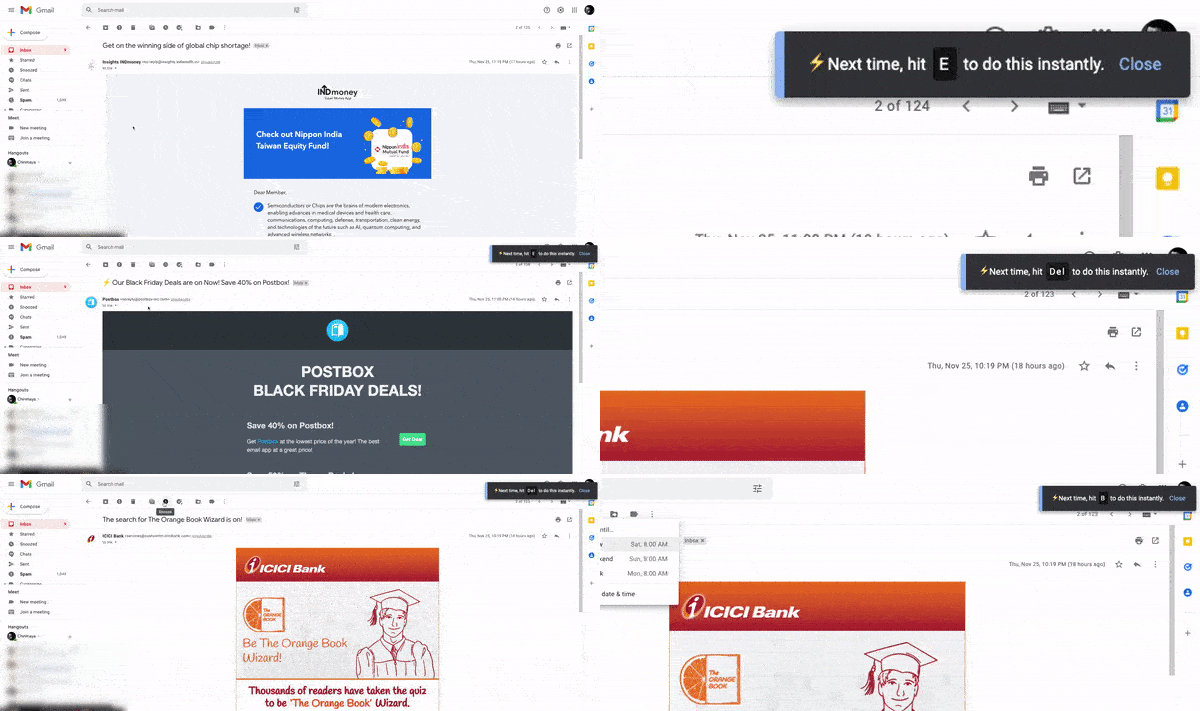
Outlook users rely heavily on keyboard shortcuts, even if they are not consciously aware of it. Gmail shortcuts exist, but many actions still require menus or mouse clicks.
Simplehuman expands keyboard based actions and makes them easier to use and remember. Users can process emails faster and rely less on the mouse, which helps restore the speed they had in Outlook.
This is often the first thing users notice during the transition.
Snooze and Reminders That Feel Like Outlook Follow Ups
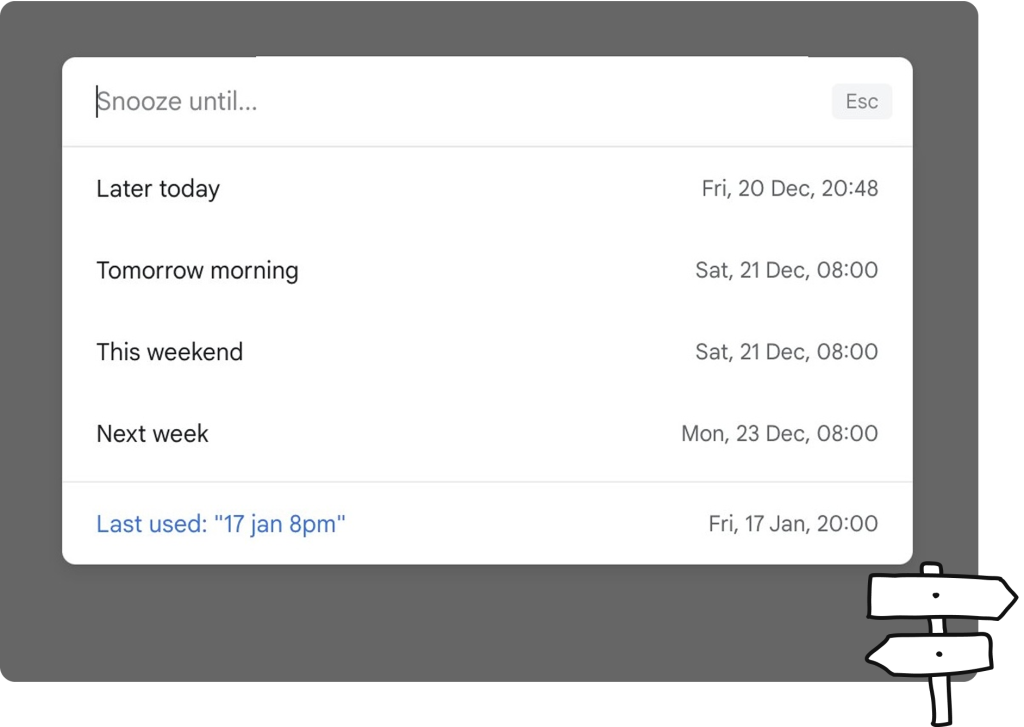
Outlook follow ups are quick and natural. Gmail snoozing is slower and menu based.
Simplehuman allows users to set reminders using natural language while reading an email. Instead of selecting dates manually, users type when they want the email to return.
This mirrors how Outlook users think about follow ups and keeps email processing fluid.
A Command Bar for Centralized Actions
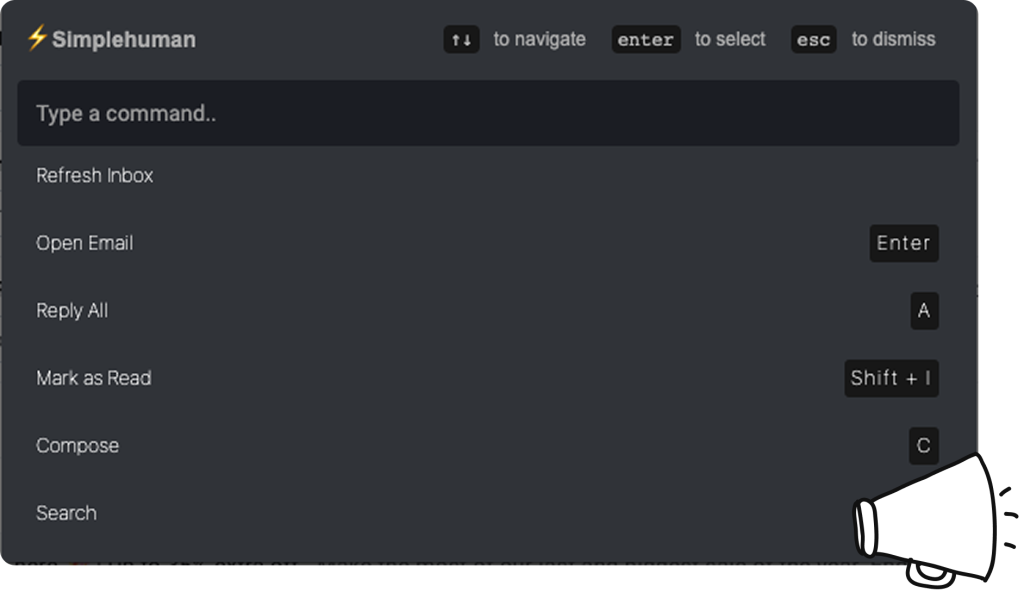
In Outlook, most actions are always close at hand. Gmail spreads actions across the interface.
Simplehuman introduces a command bar that acts as a central place to perform common email actions. Users can quickly move, label, archive, reply, or navigate without breaking focus.
This brings back the feeling of control Outlook users expect.
Split Inbox to Recreate Outlook Style Structure
One of the biggest adjustments when moving from Outlook to Gmail is losing structured inbox views.
Simplehuman introduces split inbox tabs that group emails by intent and action. Instead of scanning one large inbox, users work in focused sections and handle similar emails together.
This closely matches how Outlook users rely on folders and views to manage workload.
Why This Makes the Transition Easier
The hardest part of moving from Outlook to Gmail is not learning Gmail. It is losing familiar workflows.
Simplehuman helps bridge that gap by restoring speed, structure, and clarity inside Gmail. With keyboard shortcuts, natural reminders, a command bar, and a split inbox, Gmail starts to feel familiar again.
That familiarity is what makes the transition sustainable rather than frustrating.